🧪 The test period is free. The first 20 companies before 30.09 get the founder price: −50% forever.Start testing →
v0.49 · updates every week

Digital assistant for your business

Quotes, projects, invoices, inventory management and clients - your entire daily business in one place. Built for small business owners who need simplicity and affordable pricing.

Testing is live — join us now.

All features (PRO Plus) are free during the test period. Register before 30.09 — the first 20 companies get the founder price: −50% forever, also after the test period ends. No conditions.

Digital *assistant* for your business
✓ Quote P2026-0031 confirmed2 overdue invoicesTomorrow's dispatch: 4 rental bookings
📈 one flow, zero duplicate entry

From quote to result - same flow, same process, one system

Client asks, you answer. Every step grows from the previous one: project to quote, quote to invoice, invoice to revenue forecast
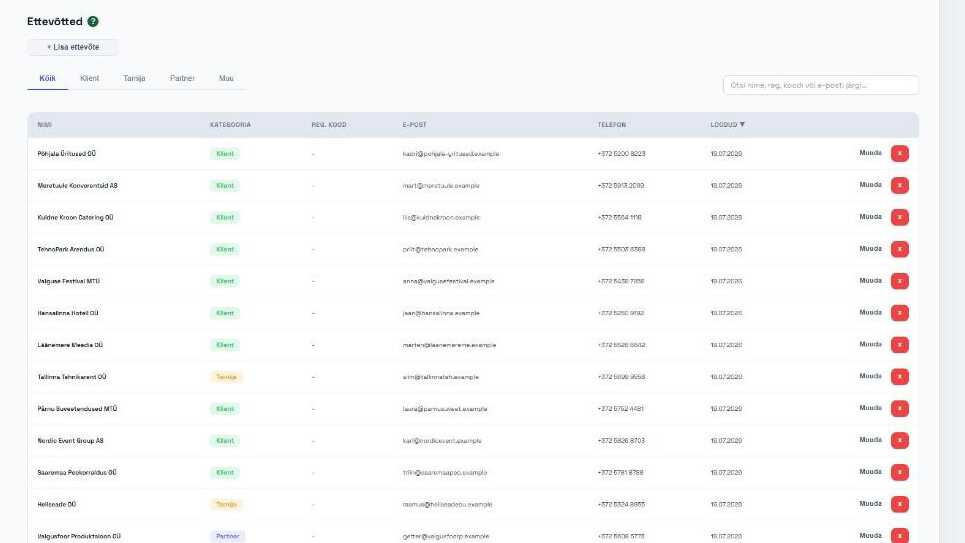
Client

Client

Contacts, companies, history and notes in one place

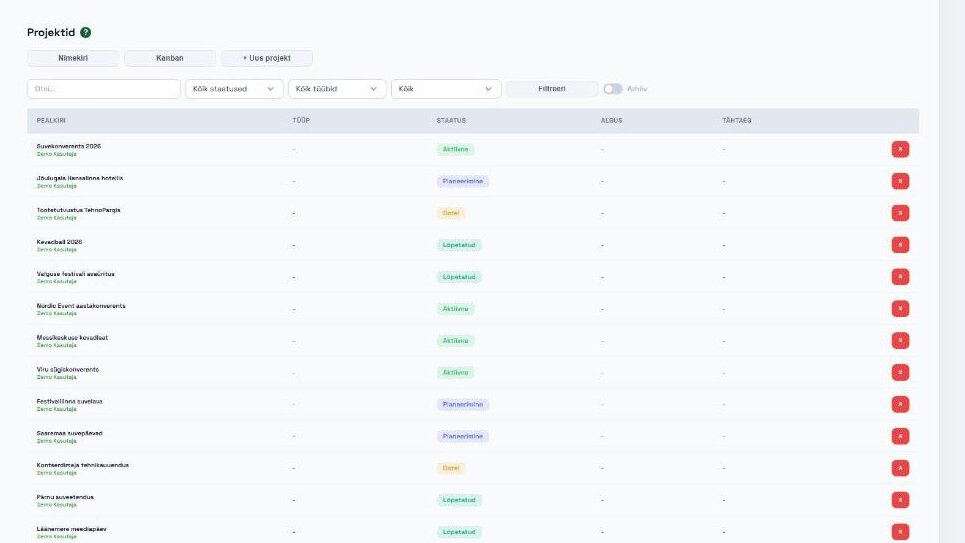
Project

Project

Create a project - tasks, team and conversation in one place

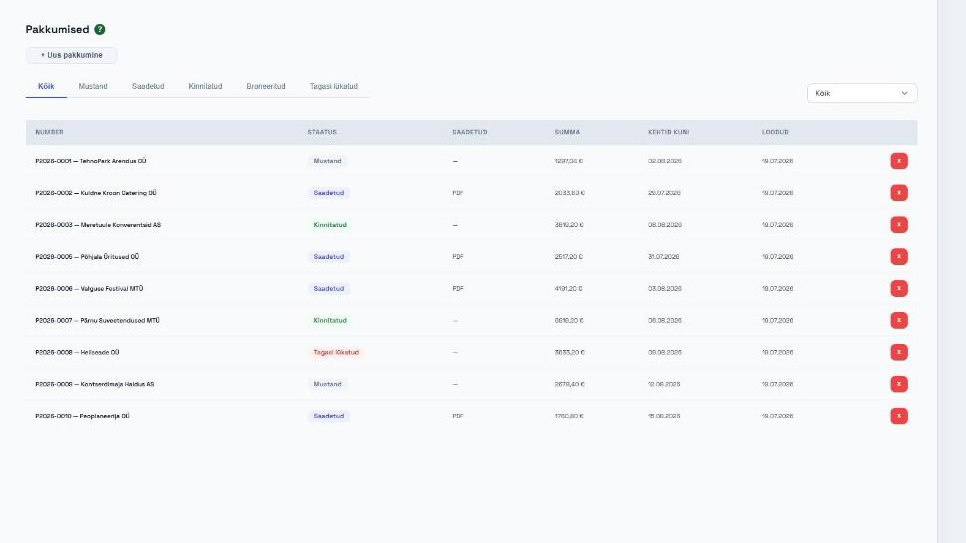
Quote

Quote

Professional quote in minutes - templates, PDF, sending

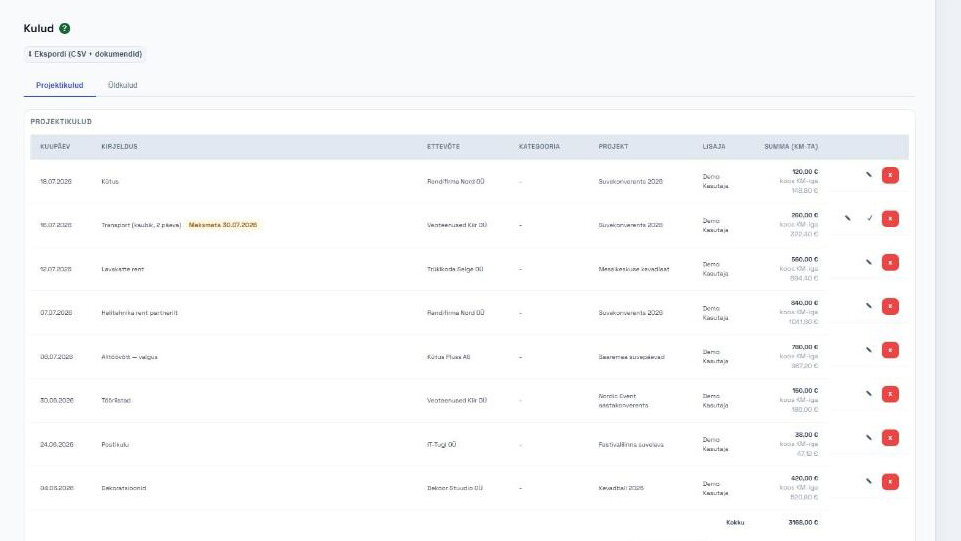
Invoices and expenses

Invoices and expenses

Invoice from confirmed quote with one click, also as e-invoice. Add expenses too - one click

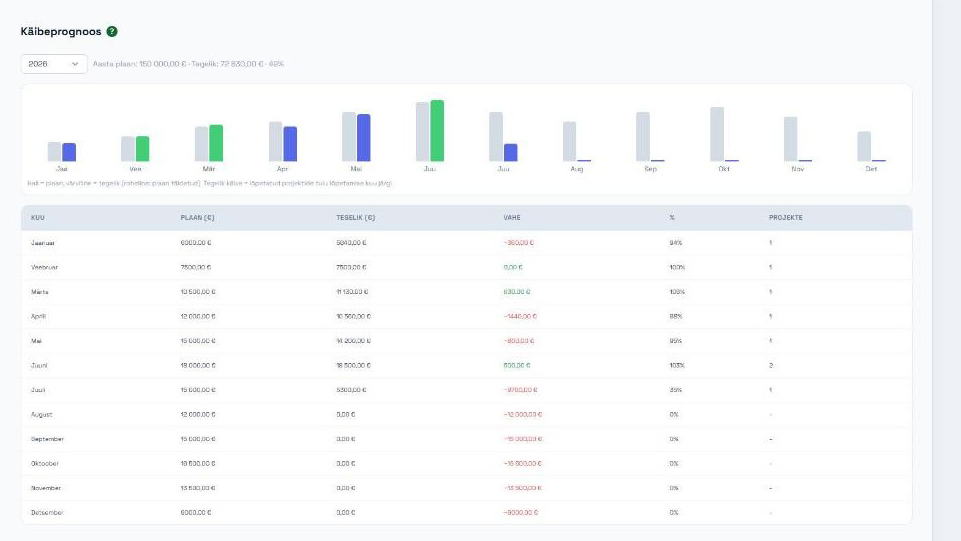
Overview

Overview

Revenue forecast and analytics - know what's coming

🚚 RENT — for rental equipment companies

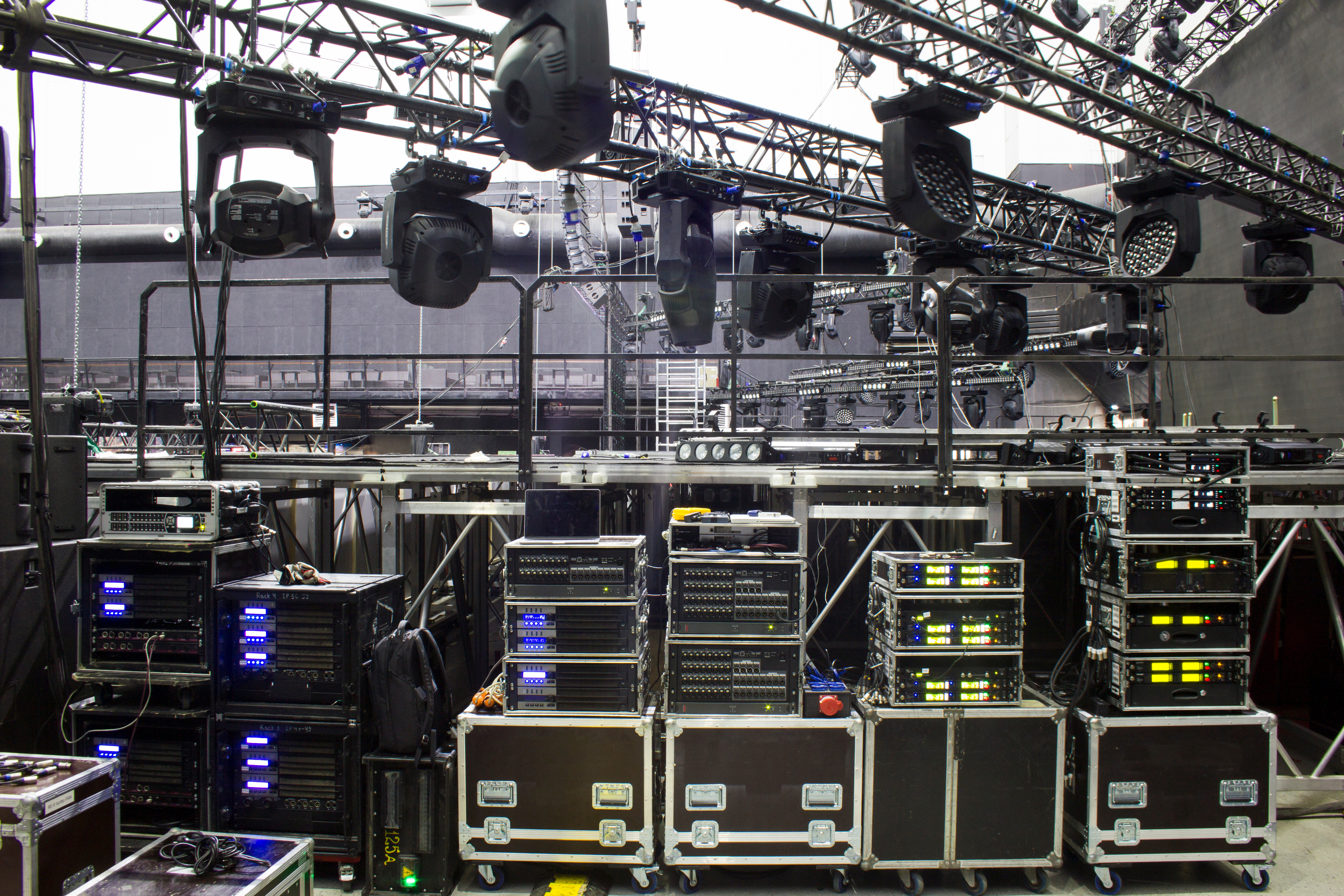
Inventory that knows what's in stock — and what fits in the van

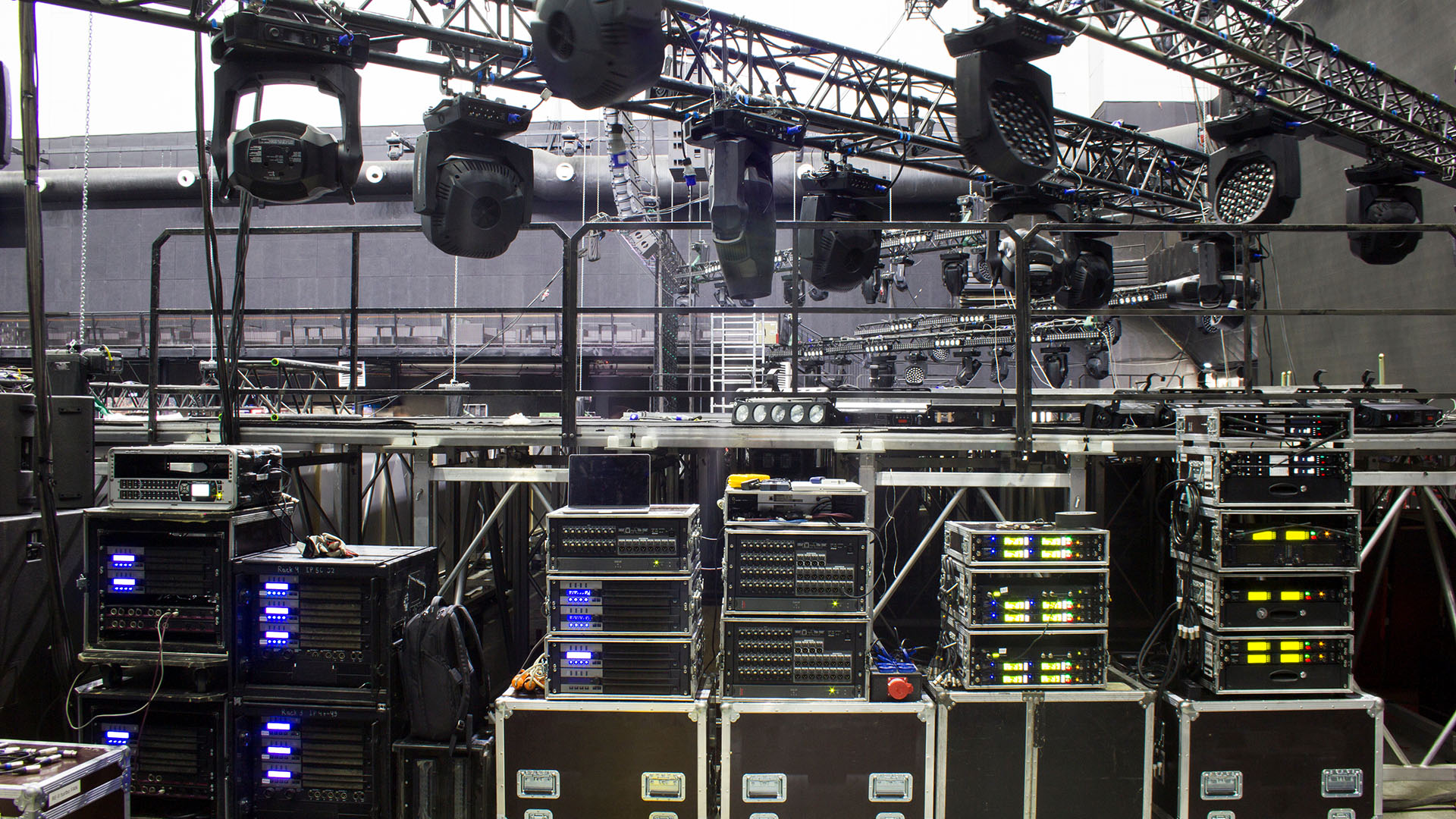
Rental equipment with availability for selected periods, bookings straight from quotes, picking and maintenance.
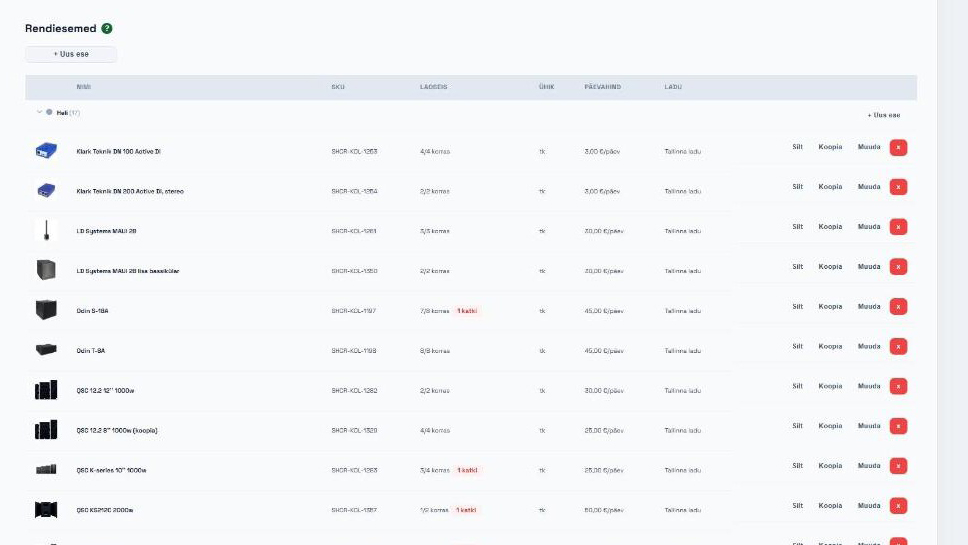
  • Available inventory for every date
  • Load and power calculations: does everything fit in one van or is there enough power
  • Share your rental inventory with partner companies — partners book directly in your system
  • Floor plans and seating plans: draw room or event layouts in PDF
Inventory that knows what's in stock — and what fits in the van
🍽 CATERING — for caterers

From menu to quote, guest count included

Menus, dishes and packages — catering quotes account for guest numbers and event type, clients see exactly what and at what price they get.
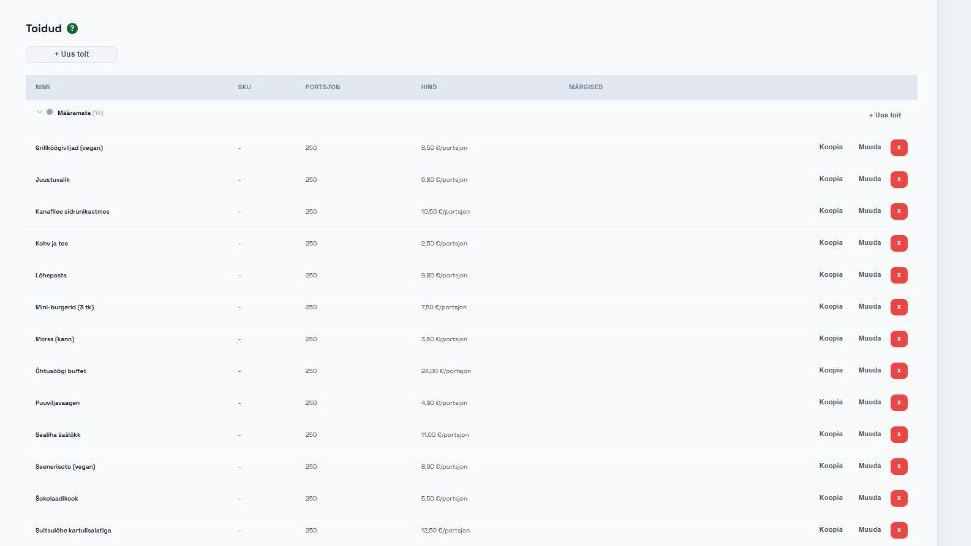

  • Recipes and dishes with prices and portions
  • Confirmation letter to client with one click
From menu to quote, guest count included
🎸 PERFORMER — for performers and agencies

Your entire band logistics in one place

Performers and performances, technical rider and stage plan — a performance is a project with quotes, invoices and communication attached.
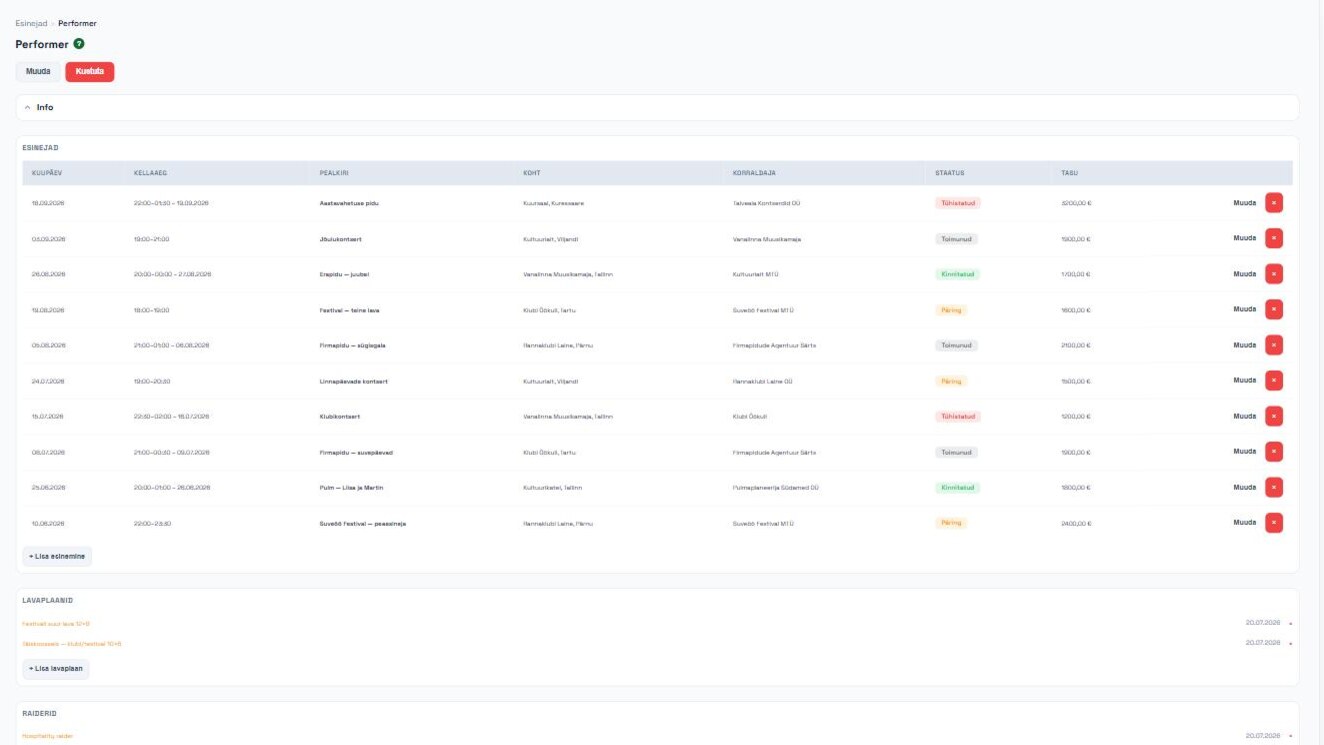

  • Performance calendar — dates, venues, statuses and fees
  • Technical rider for each performer
  • Stage plan and tech checklist attached to the performance
  • Performance = project: quotes and invoices in the same workflow
Your entire band logistics in one place
📐 DRAWINGS — plans right in your project

From floor plan to event layout

Upload your room floor plan from PDF or image, calibrate the scale and draw — tables, stage, equipment.
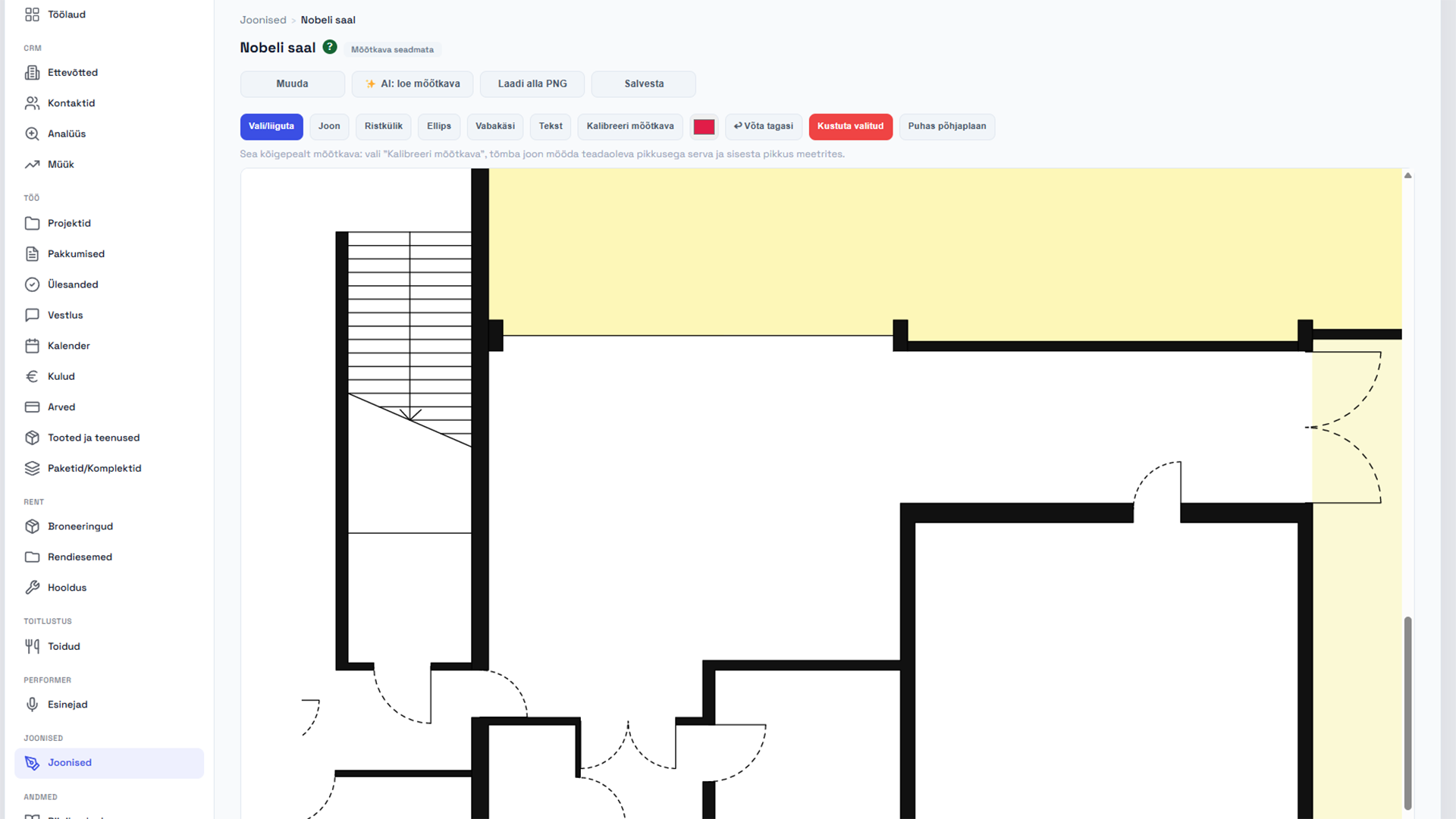

  • Floor plan from PDF or image
  • Scale calibration, including AI assistance
  • Seating and event layouts drawn directly on the plan
  • Plan is attached to the project — your entire team sees the same picture
From floor plan to event layout
🛠 core tools

And all the other everyday work tools are included

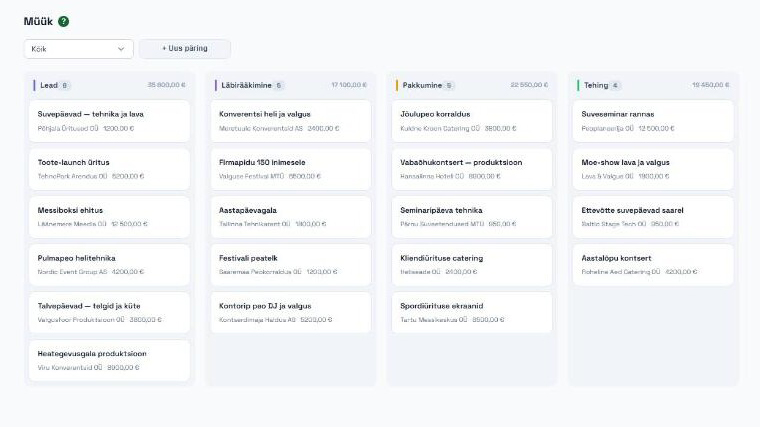
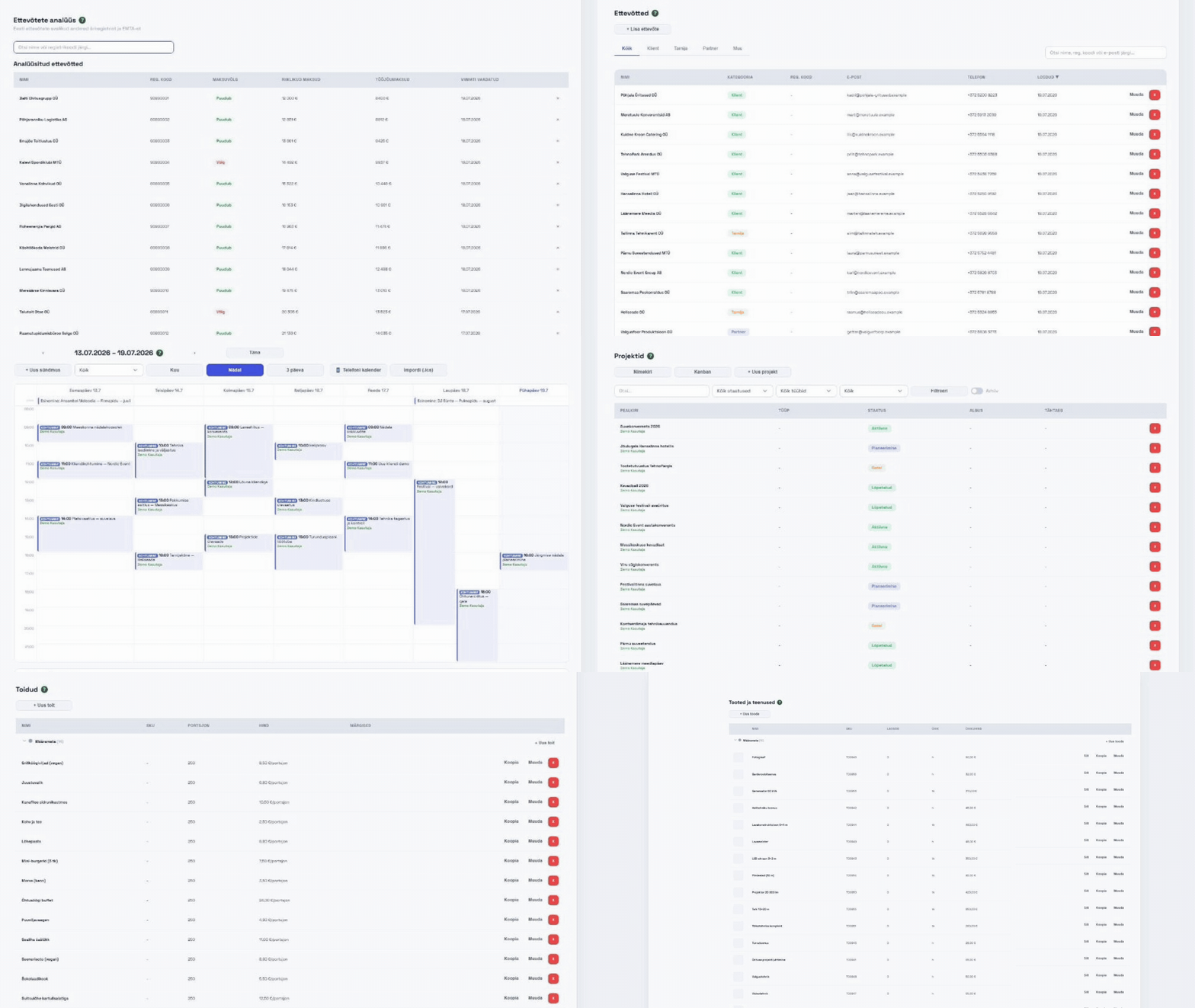
Sales pipeline

Sales pipeline

Inquiries and deals organized by stage
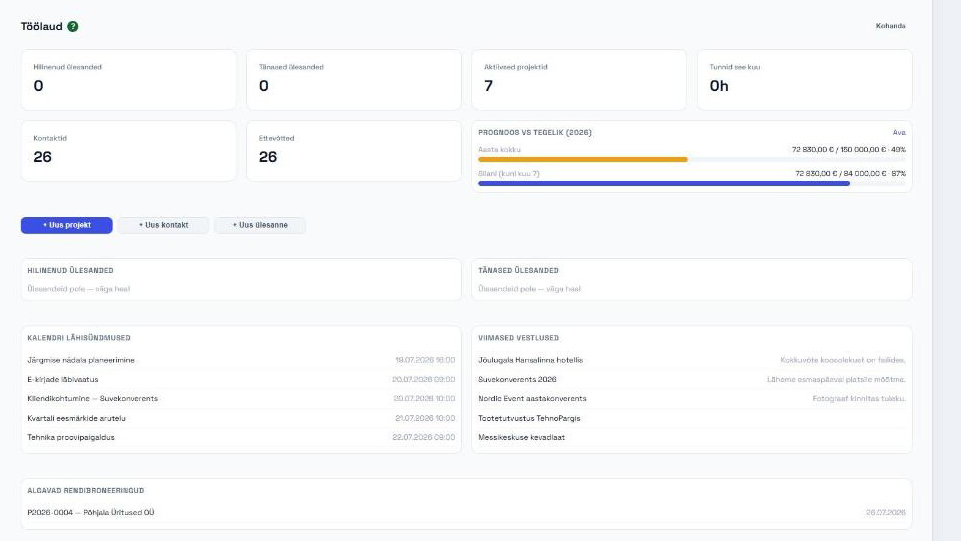
Dashboard

Dashboard

Overdue tasks, stalled deals, unpaid invoices
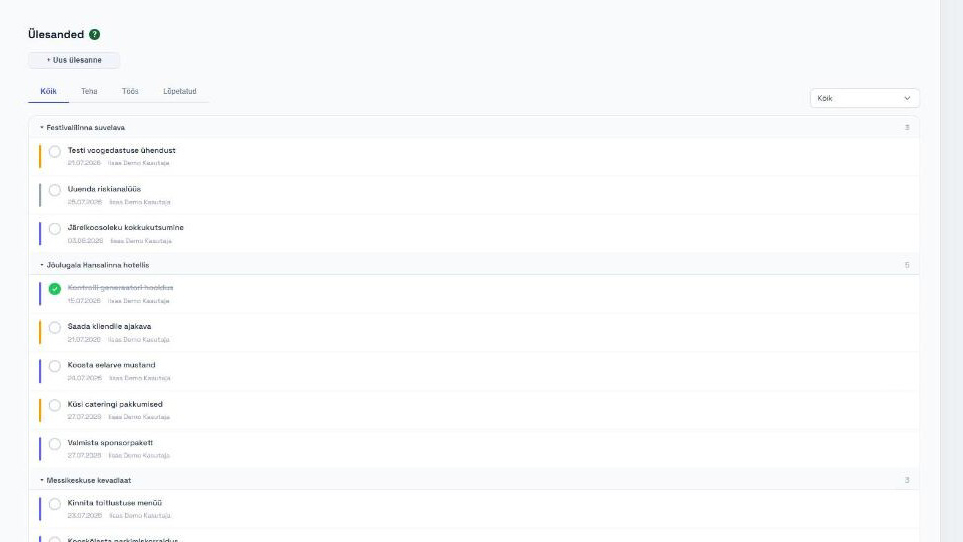
Tasks

Tasks

Deadlines, reminders, owners and priorities
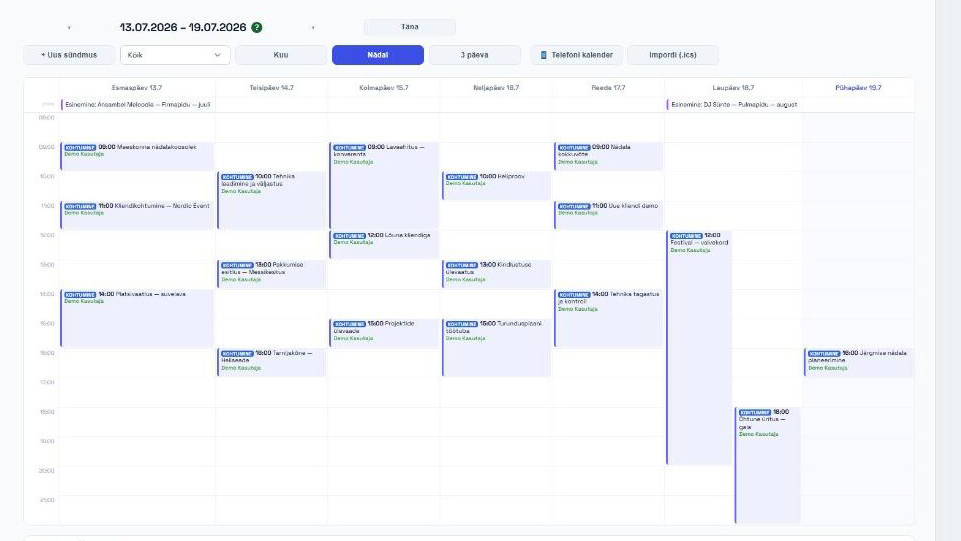
Calendar

Calendar

Events, deadlines and bookings in one calendar — also on your phone (iCal)
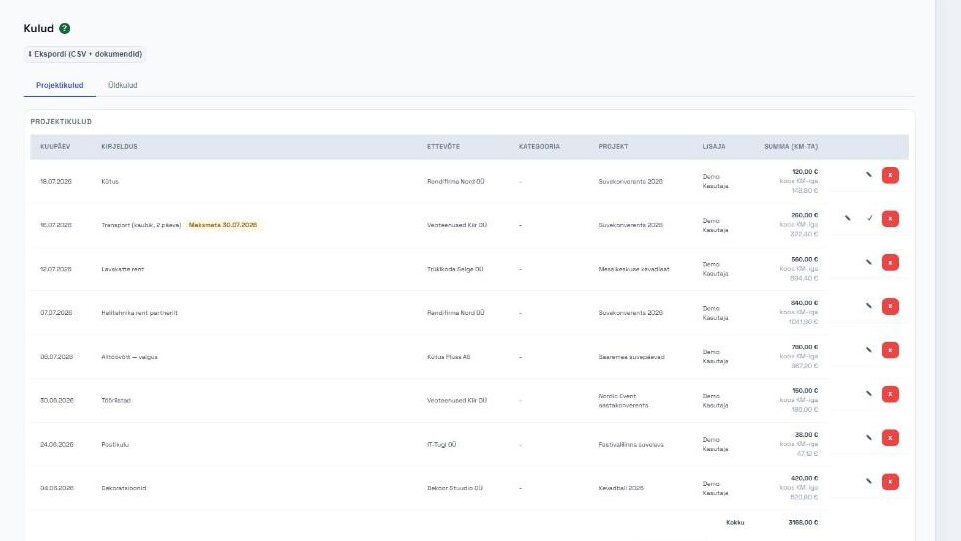
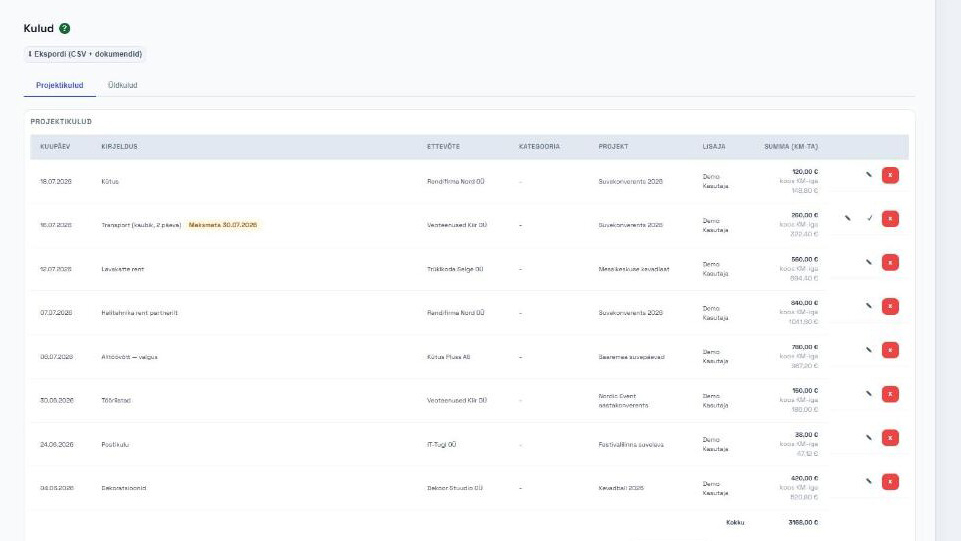
Expenses

Expenses

Snap a receipt or add an e-invoice — amount is read automatically, expenses tracked by project
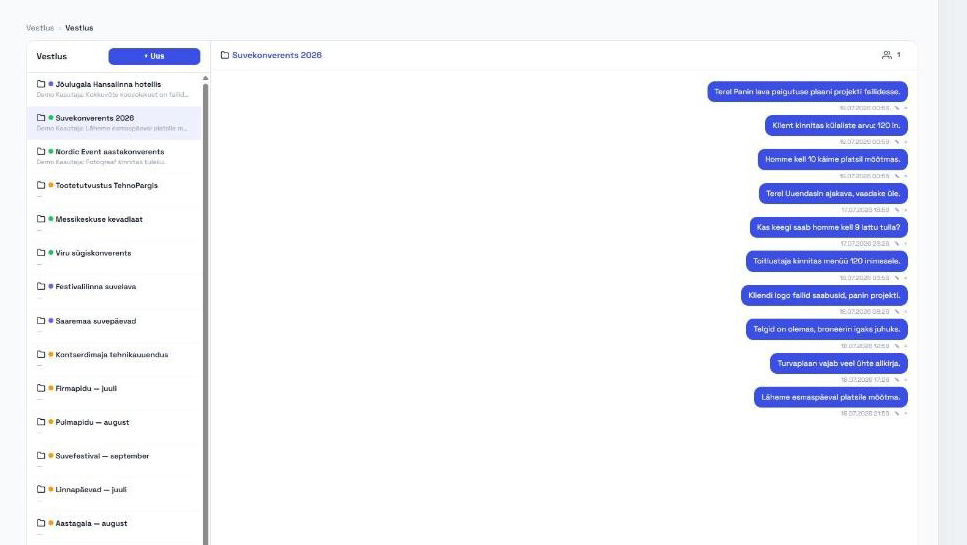
Chat

Chat

Each project has its own chat — quick communication right where the work happens
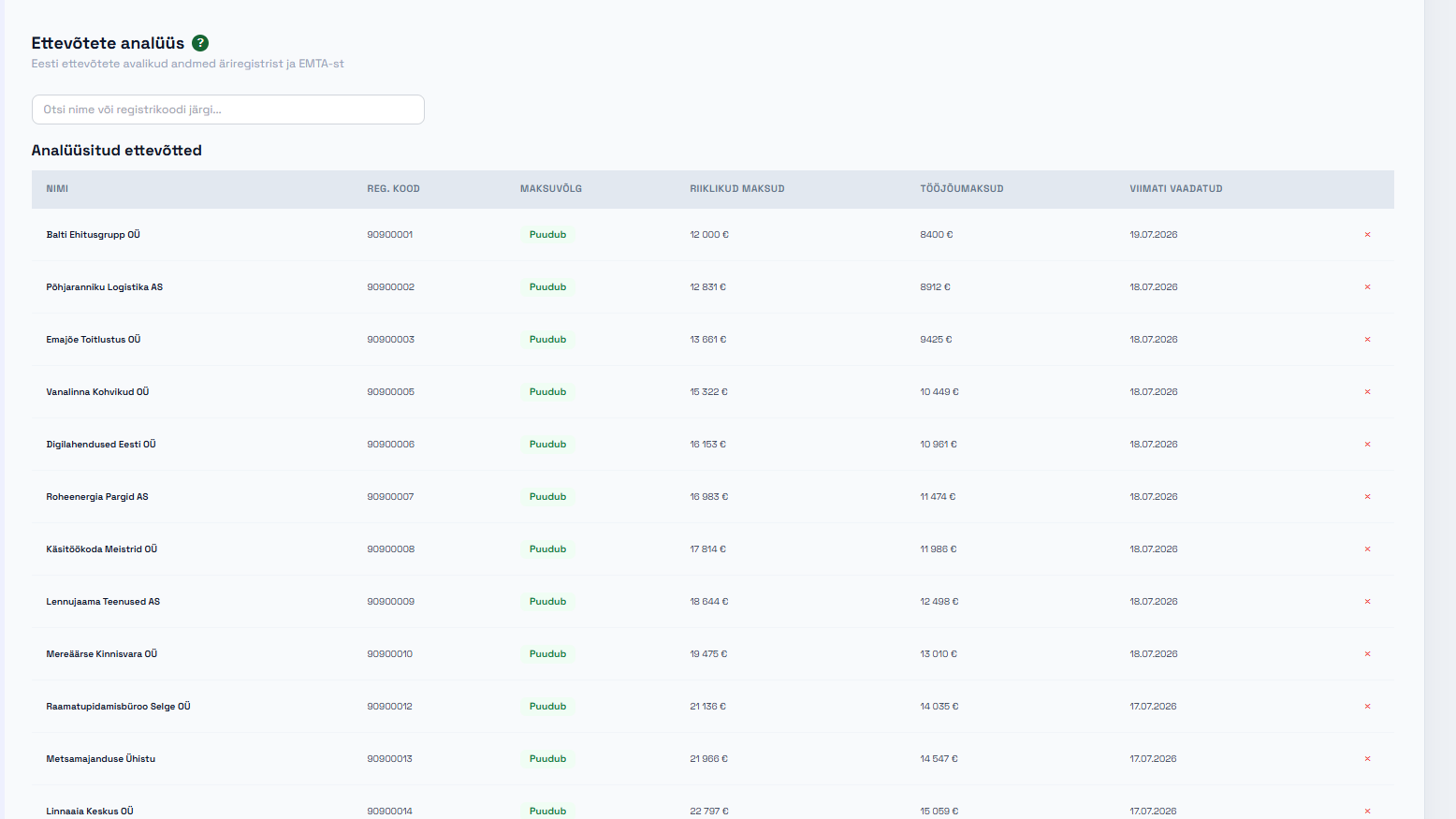
Analytics

Analytics

Who sells to you and who you sell to — simple overview without Excel
AI assistant

AI assistant

Reads quotes and receipts from files, helps with text, analyzes sales
👥 who is this for

For doers who get things done

Rental and technical companies

Rental and technical companies

Sound, lighting, stage, tents, furniture — everything for those with a warehouse that needs to move and come back.

Catering companies

Catering companies

Catering firms and chefs who organize events — from menu to invoice without paperwork.

Performers and bands

Performers and bands

Artists, bands and agencies — performance calendar, rider, stage plan and payments all in one place.

Small businesses and service providers

Small businesses and service providers

Service providers, project-based doers - everyone who needs to communicate efficiently with their clients!

💶 pricing

Fair pricing, no hidden costs

Every new workspace starts with a full-featured trial period. During the trial, PRO Plus is free for everyone - pricing takes effect after testing.

See pricing — applies after the test period

Free

FreeFree
👥 up to 5 · 100 MB
KontaktidEttevõttedProjektidÜlesandedKalenderVestlus+1
Get started
Most popular

PRO

50€/month40€/month480€ per year · −20%
👥 up to 5 · 5 GB
Everything in Free, plus:
MüükPakkumisedArvedTootedAnalüüsE-post+3
Get started

Catering

70€/month60€/month720€ per year · −14%
👥 up to 7 · 10 GB
Everything in PRO
Get started

Rental

70€/month60€/month720€ per year · −14%
👥 up to 7 · 10 GB
Everything in PRO, plus:
Rent
Get started

PRO Plus

100€/month90€/month1080€ per year · −10%
👥 up to 12 · 20 GB
Everything in the other packages, plus:
RiigihankedLingitud töökohadAI abilineGmaili sünkOma domeen
Get started
Compare plans in detail
FreePROCateringRentalPRO Plus
Usersup to 5up to 5up to 7up to 7up to 12
File storage100 MB5 GB10 GB10 GB20 GB
KontaktidClients and people — their details and links to companies and projects.
EttevõttedCompanies with registry data, contacts and activity history.
ProjektidProjects with tasks, files, emails and cost tracking.
ÜlesandedTasks with due dates, assignees and statuses.
KalenderEvents, deadlines and rental bookings in one calendar.
VestlusInternal messaging and discussions within the workspace.
AruandedOverviews and reports on sales, projects and costs.
MüükSales pipeline: leads and deals by stage (kanban).
PakkumisedCustomer quotes — PDF and sending.
ArvedInvoices with e-invoice and PDF; one click from an accepted quote.
TootedCatalog of products and services with prices and units.
AnalüüsAnalysis of websites and sources to find contacts.
E-postSend emails and manage templates directly from the workspace.
PrognoosRevenue forecast based on quotes and deals.
ToitlustusMenus, dishes and packages — catering quotes with guest counts.
RentRental items, availability and bookings with load calculation.
JoonisedFloor plans and drawings: upload a PDF/image, set the scale and draw a seating or event plan on top.
RiigihankedPublic procurement tracking and related documents.
Lingitud töökohadConnect multiple workspaces and share data between them.
AI abilineAI assistant for drafting content and analysis.
Gmaili sünkAutomatic Gmail sync with projects and contacts.
Oma domeenYour workspace runs on your own web address (e.g. app.yourcompany.com).
🚀 founder offer

Join the test — founder pricing for the first 20 companies

The test period is free for everyone. Register before 30.09 — the first 20 companies get founder status: −50% forever, also after the test period ends. 20 of 20 spots left. No conditions — use the system for real and tell us what works and what does not (the helper is built into the app).
Free - start in 5 minutes
📝 changelog

What's done and what's in progress!

v0.49

Time tracking got its own page and permissions split into own/others' records

Time tracking is now a proper whole: its own page in the WORK menu (project time + general time), its own settings tab, and activity selection right from the quote lines. In permissions, we made the biggest update since permission levels were introduced — almost every module now lets you separately allow viewing, editing, and deleting your own and others' records.

New
  • New "Time tracking" page in the WORK menu: project time and general time (warehouse work, office work, etc. — work no…
  • Time entries are now added in a modal: date, start and end on one line, the system calculates hours automatically; th…
  • Settings has a new "Time tracking" tab: time categories and quote time services in one place. You can pick multiple s…
  • Project time entries can have an "Activity" — which quote time service the work was for. Options come from the projec…
  • BIG PERMISSIONS UPDATE: most modules (Contacts, Companies, Sales, Tasks, Projects and costs, Quotes, Invoices, Calend…
+ 30 more
  • For Tasks, "own record" means both tasks you created and tasks assigned to you — an employee can complete and edit ta…
  • Editing project content (sections, team) uses the same record permissions: you manage your own project with own-recor…
  • Time entries work the same way in permissions: "Time entries — own" (Create = add; Edit/Delete = your entries) and "T…
  • In chat, editing and deleting your own messages is now controlled by permissions ("Own messages" toggles); deleting o…
  • The permissions table is more readable: subgroup toggles are smaller, compact sub-rows instead of separate columns, a…
  • On the company card, "Find additional data" is now "Refresh data": updates the official name and address from the bus…
  • You can drag a cost document straight into the cost-adding form box — same processing as the button (AI reads and fil…
  • The cost document reader recognizes a company even if the invoice has a different name format than in CRM (e.g., "Har…
  • Forecast (formerly Revenue forecast) now shows costs too: a new column adds the month's general and project costs plu…
  • Below the forecast is a "Taxes (estimate)" block — a rough guide, not accounting: VAT due (issued invoice VAT minus c…
  • Salaries are added as COSTS (category "Salaries") when actually paid: you enter only NET (the amount paid from the ba…
  • The general costs view opens by default to the current month, filters are on the tab bar like in tasks; in month view…
  • On the project Time tracking tab, there's a card "Labor cost (calculated)" — project entry hours × frozen cost; so yo…
  • Double-cost check: if you add a cost with the same company, same amount, and same date (or same invoice number) as an…
  • The cost document reader now tells the two parties apart: your own company (the payer) is never offered as a seller —…
  • Forecast costs are split into two clickable columns: General costs (cash costs + fixed salaries) and Project costs (c…
  • The Reports page is now a pure report: three tabs (Projects, Finance, Costs), each with its own period filter (quick …
  • The project report shows hours by employee and by month with names, and the tab bar has an employee filter. Clicking …
  • Project chat is now a real tab inside the project view: sub-channels, member management (add, remove, rename), messag…
  • The Costs page also gained a category filter and an "Unpaid" toggle (on both tabs).
  • The project list can be grouped by company — collapsible groups with counters, like quotes; the group header links to…
  • Quote PDF: the quote's own title now appears under the number in the PDF, and the downloaded file name matches the ti…
  • The Forecast VAT estimate now also counts accepted and booked quotes that have no invoice yet — sales often run on qu…
  • A project can be split into phases with AI (if the workspace has the AI module): a button on the Timeline tab asks a …
  • The drawing and stage plot editors got quicker hands-on controls: a handle on the selected shape corner lets you resi…
  • The project view got cleaner: only Project info remains on the right — tags are pills inside the info card, task stat…
  • Invoices got their own tab under the project (project-specific invoices) and the "Create invoice" button now lives th…
  • The project Invoices tab "Create invoice" now first asks whether to invoice the project's accepted/booked quote(s): f…
  • Company and contact views now share the project layout: content lives in tabs (Contacts/Companies, Sales, Quotes, Inv…
  • Editing companies and contacts now works like projects: an "Edit" button in the header opens a modal with all fields …
Fixed
  • The guide table of contents now moves with your reading (stays on the side of the screen) and scrolls on its own, wit…
  • In time entry tables, the time is on the same line as the date, no longer small and gray.
  • The related blocks on company and contact cards (deals, quotes, projects) are proper tables instead of card rows; quo…
  • Quotes can now also be deleted from the project quotes tab (with record permissions).
+ 3 more
  • The empty-state hint on the project timeline is in regular text, not title-sized.
  • A PDF made from a drawing is now simply the drawing on a single page — previously an almost blank first page appeared…
  • Opening a drawing linked to a project no longer gets stuck behind an error (it looked like a PDF upload error, but th…